Front-door footage guide
How to Find Motion in Front-Door Security Footage
A long front-door recording may contain only a few moments worth reviewing. The practical approach is to scan a saved video for picture changes, focus on the entrance, and use timestamps and thumbnails to move through the results.
Download MoFind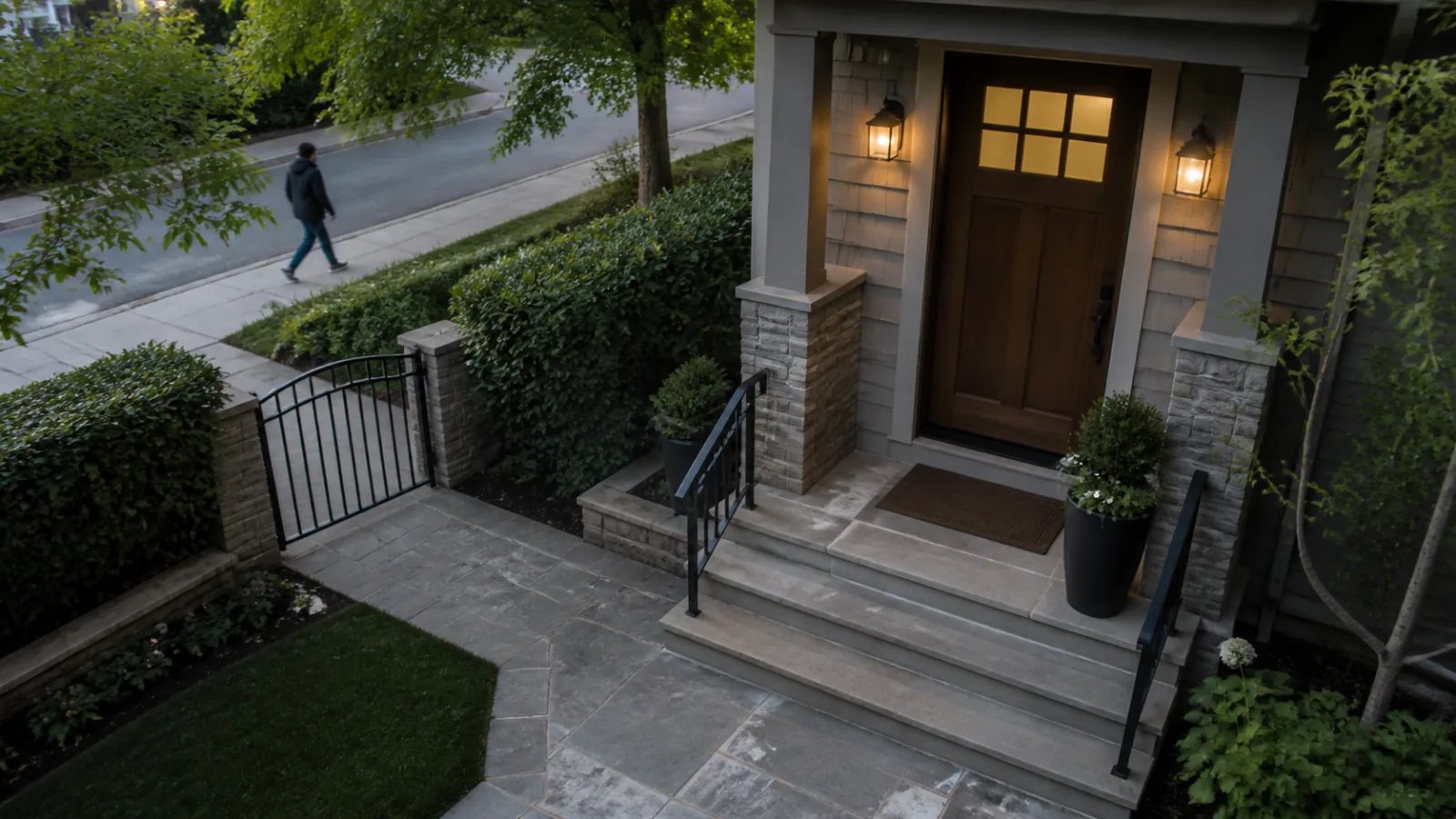
Why front-door recordings take so long to review
Front-door cameras often record a wide scene: the entrance, a path, trees, and sometimes a road. Only part of that frame may matter for the question you are trying to answer.
Motion scanning is most useful when you define that question narrowly. Instead of treating every frame change as equally important, focus the scan on the doorway, porch, steps, or gate.
Long quiet stretches
A recording can run for hours even when the entrance is unchanged. Event timestamps provide a shorter review path than continuous playback.
Movement outside the entrance
Traffic, pedestrians on a public sidewalk, or nearby branches can change the picture without affecting the area you want to check.
Daylight and overlays
Shifting light, shadows, and timestamp overlays may add noise. A carefully placed region and appropriate sensitivity can reduce irrelevant events.
Choose the area that actually matters
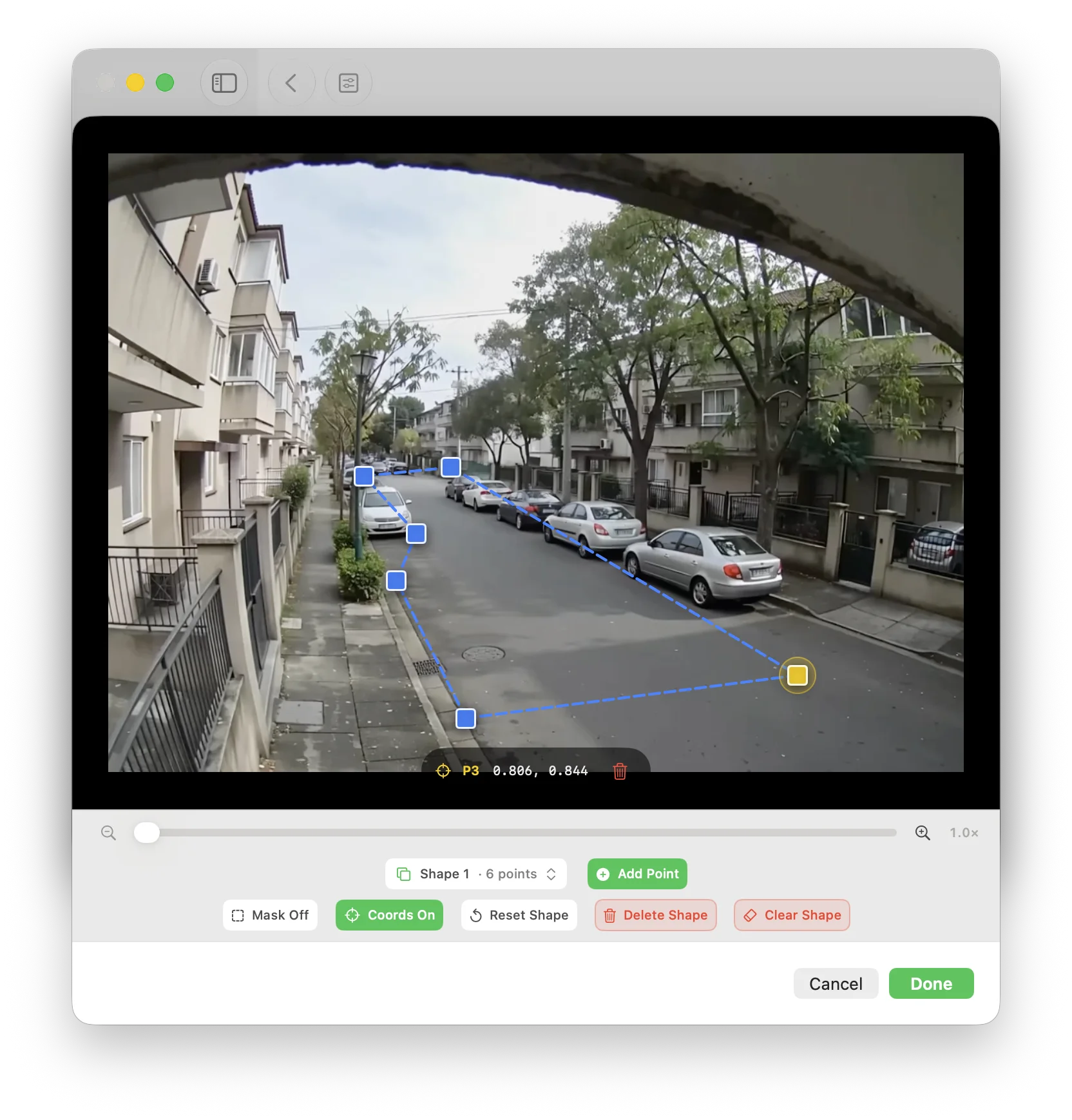
Draw the detection region around the entrance itself: the door, porch, steps, gate, or another specific access point. Keep swaying branches, busy roads, and timestamp overlays outside the region when practical.
The goal is not to make the frame look tidy. It is to align the scan with the part of the scene you intend to review. The free tier supports one region; Pro supports multiple regions for entrances with separated areas of interest.
A practical front-door footage workflow
Start with a saved recording rather than a live camera connection. MoFind analyzes video files already available on the iPhone, iPad, or Mac you are using.
Import the saved recording
Choose an existing front-door, doorbell, or security-camera video. General support includes MP4, M4V, and MOV using H.264 or H.265 when the device can decode the file.
Set the time range
If you only need to check an evening, delivery window, or another known period, scan that portion instead of the complete recording.
Draw the detection region
Cover the door and access path while excluding as much road, foliage, or overlay text as possible.
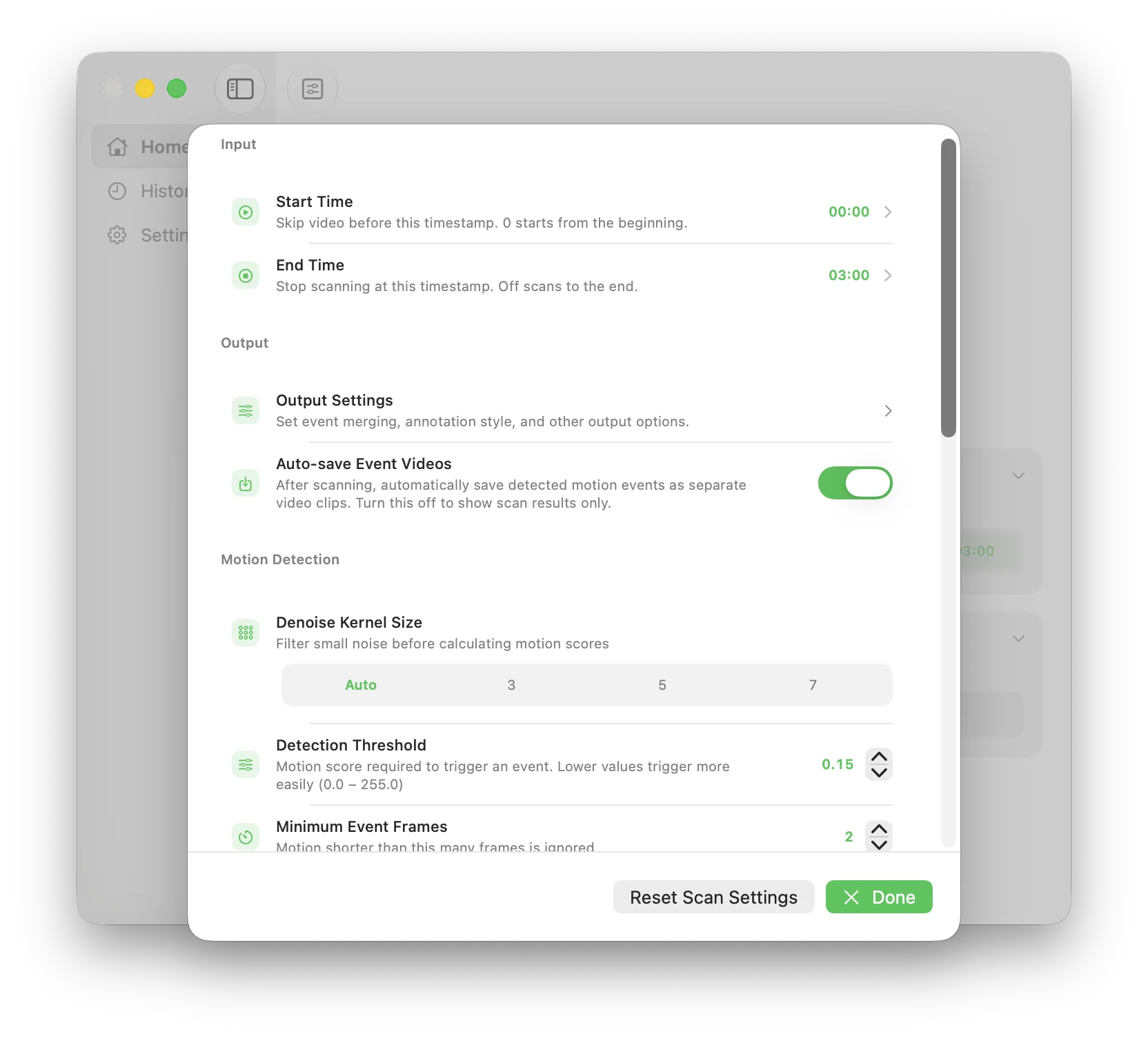
Adjust sensitivity and scan
Begin with a preset, review the resulting event list, and use a custom sensitivity only when the scene needs finer adjustment.
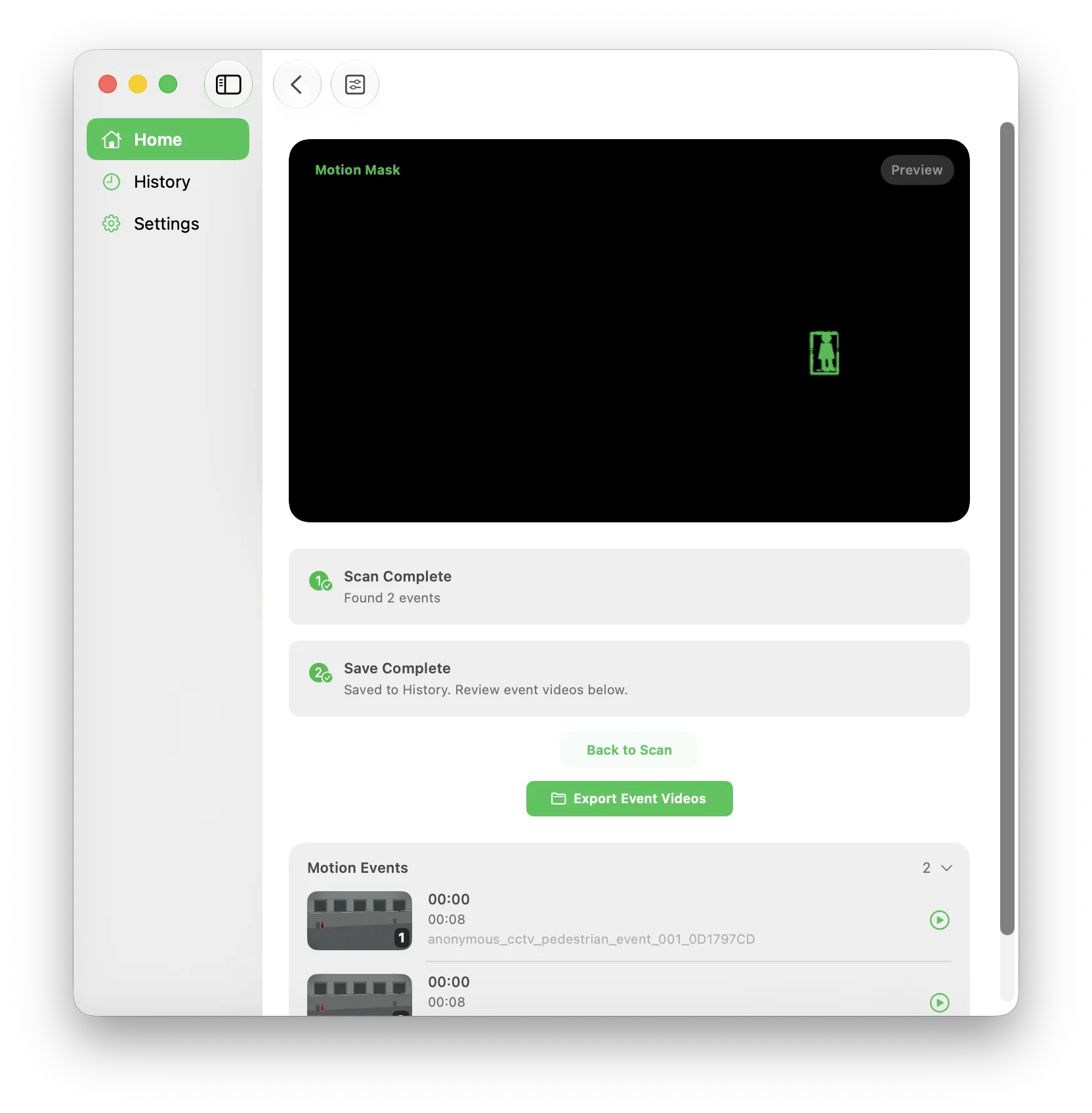
Review events before exporting
Use the start time, duration, motion score, and thumbnail to decide which events deserve a preview. Event-clip export requires Pro.
Review results without over-interpreting them
A motion event means that MoFind detected a change in the selected part of the frame. Review the thumbnail and preview before deciding whether an event is useful.
Start with thumbnails
Thumbnails help you move past obvious light changes or background motion before opening each event preview.
Compare event duration
A brief picture change and a longer movement may produce different durations. Use duration as review context, not as an identity or behavior label.
Refine and scan again
If the list contains too much road or foliage movement, tighten the region or adjust sensitivity and run another scan.
Privacy and product boundaries
Front-door footage can be sensitive. MoFind performs motion analysis on the selected device, and the video is not uploaded for scanning.
It is equally important to describe the result accurately: MoFind detects picture changes in saved video. It does not identify a person, classify behavior, or monitor a live camera feed.
Scans saved video locally, lists detected motion events, supports focused regions and time ranges, and lets you preview the resulting moments.
It is not a remote camera viewer, live monitoring client, face-recognition system, person identifier, or automatic behavior classifier.
Front-door footage questions
Can MoFind scan a saved doorbell recording for motion?
Yes. Import a supported saved video and MoFind can create a list of detected motion events for review.
How can I reduce events caused by a road or moving tree?
Draw the detection region around the doorway, porch, steps, or gate, leaving the road and moving foliage outside the region when practical. Then adjust sensitivity if needed.
Does MoFind identify who is at the door?
No. MoFind detects picture changes in the selected region. It does not identify people or classify their behavior.
Does MoFind connect to a live front-door camera?
No. MoFind analyzes saved video files and is not a remote viewer or live monitoring client.
Is the front-door video uploaded for scanning?
No. Motion analysis runs locally on the selected iPhone, iPad, or Mac.