Download the DMG
Select the download button above and wait for the Mouse SR installer to finish downloading.
INSTALL AND FIRST-TIME SETUP
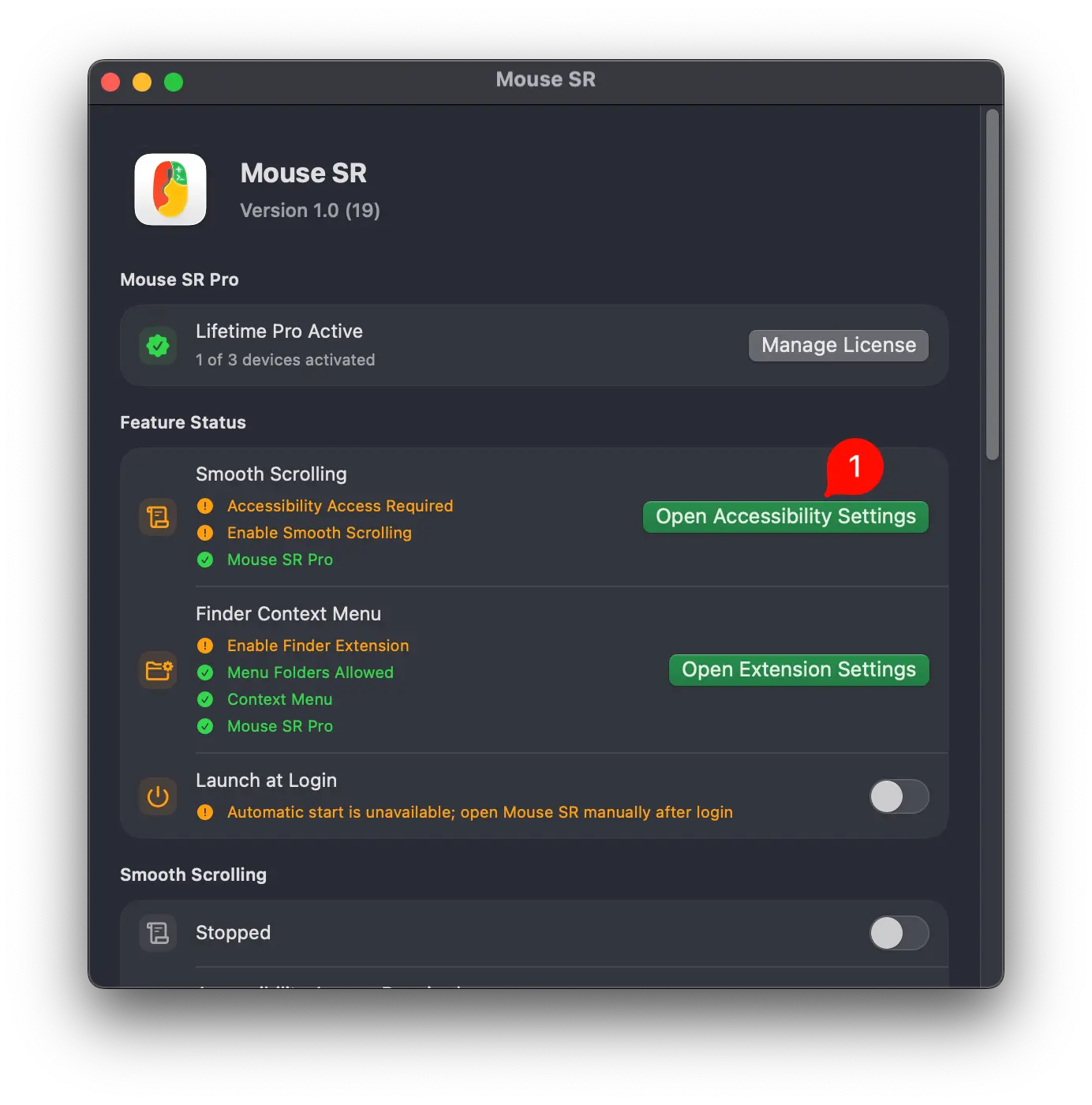
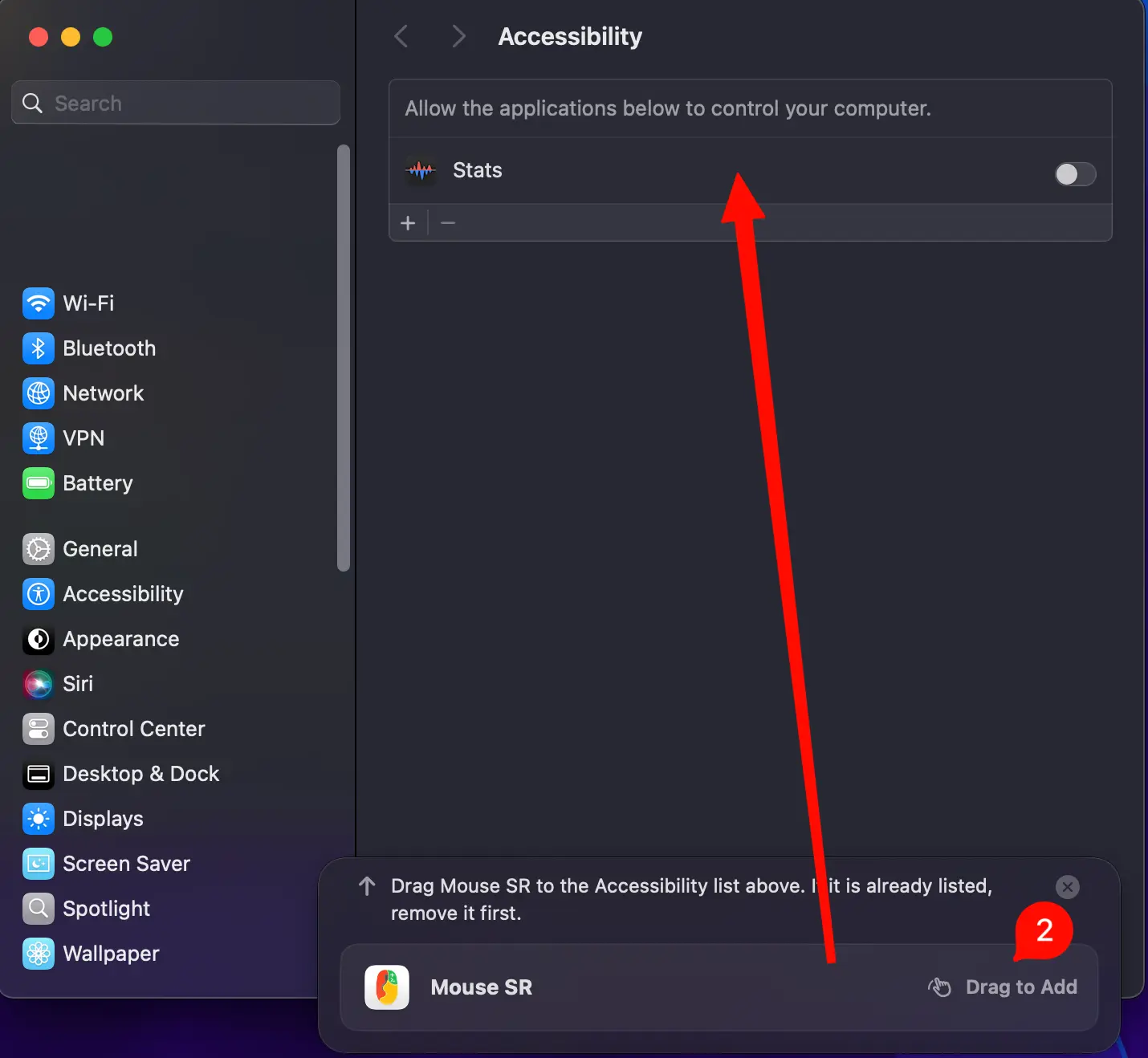
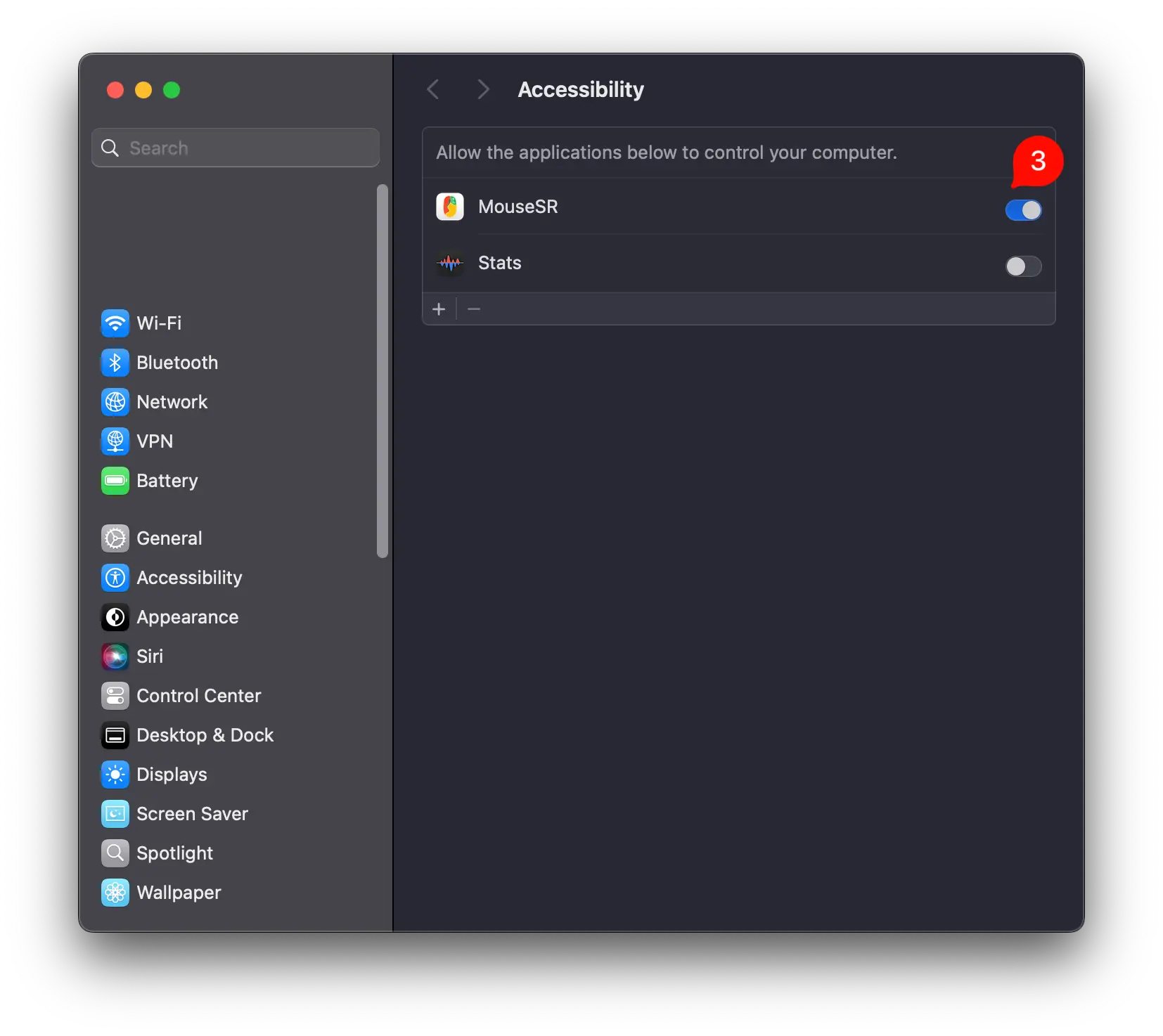
After installing the app, follow the steps below to allow Accessibility access. If you want Finder right-click tools, there is one optional setup step.
DOWNLOAD AND INSTALL
Select the download button above and wait for the Mouse SR installer to finish downloading.
Open the DMG, then drag MouseSR onto the Applications folder next to it.
Open Applications and double-click MouseSR. You should not need to bypass the normal macOS security check.
SMOOTH SCROLLING
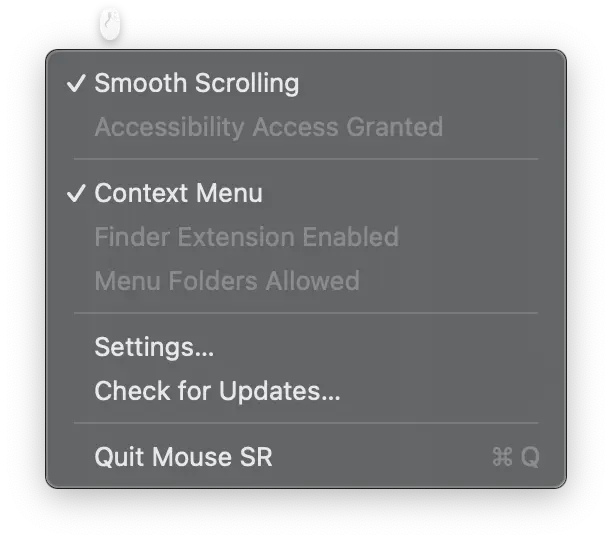
macOS requires scroll-enhancement apps to have Accessibility access. Mouse SR uses it to turn stepped wheel input into continuous scrolling. It does not need Input Monitoring permission.
FINDER RIGHT-CLICK TOOLS · OPTIONAL
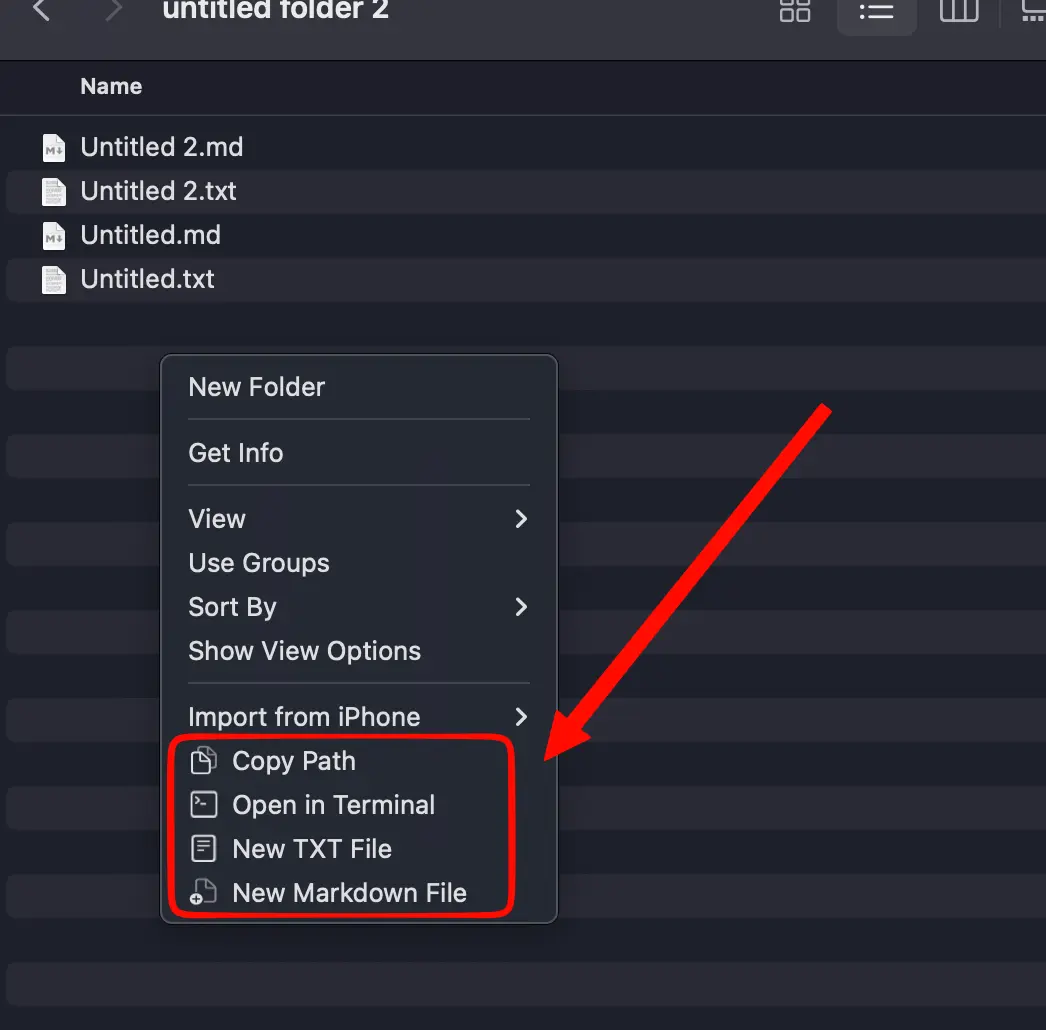
To use Copy Path, Open in Terminal, or create a TXT or Markdown file from Finder, turn on the Mouse SR extension and choose the folders where the menu may appear.
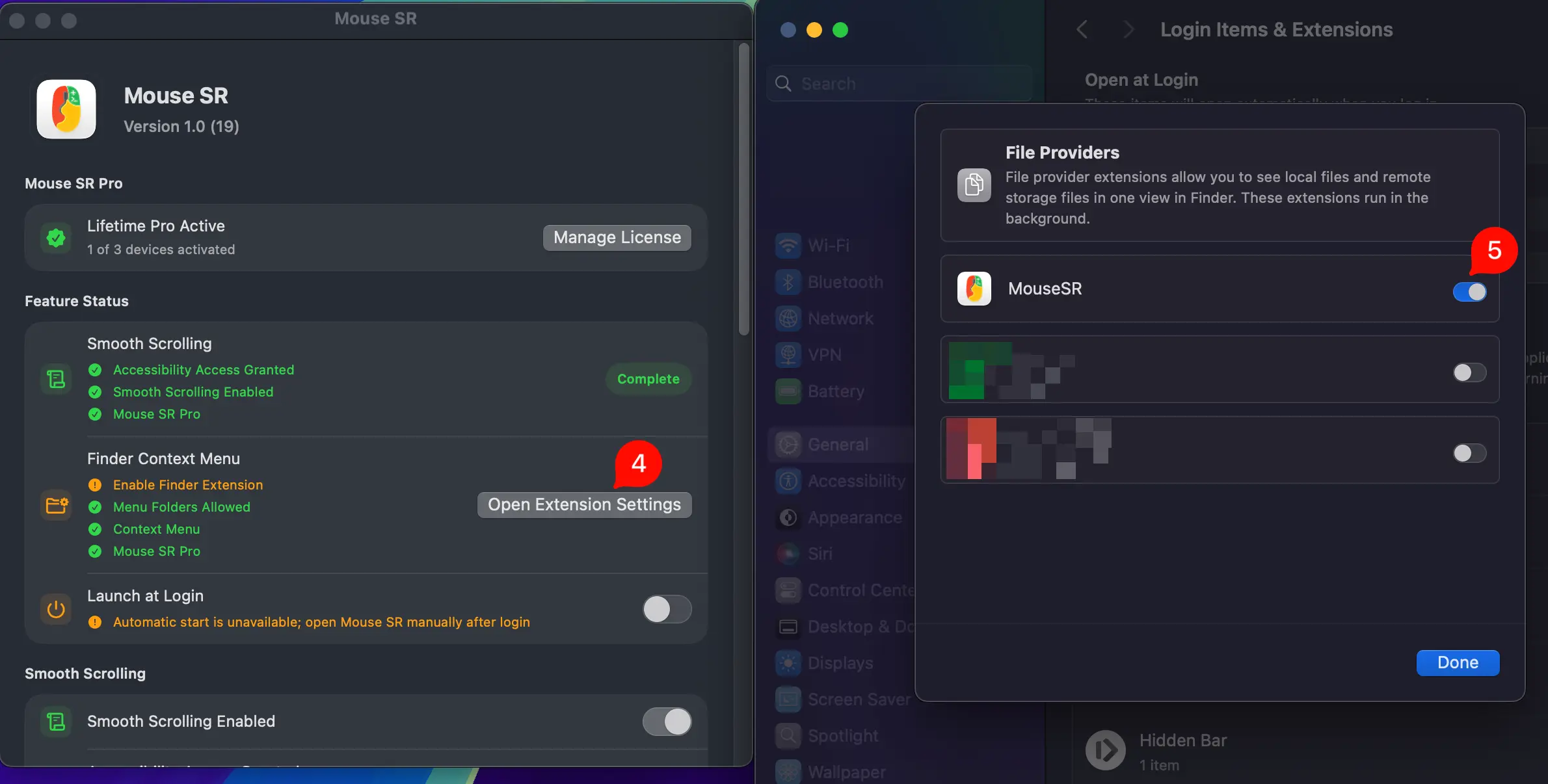
Return to Mouse SR and add folders under Finder tool settings. The right-click tools appear only in those folders and their subfolders; they do not receive unrestricted access to your entire disk.
SETUP COMPLETE
STILL NOT WORKING?
If the problem continues, read the FAQ, or email [email protected].