Imgs2PDF PDF Compression Reduce File Size Without Losing Quality
· One min read
Imgs2PDF now includes a powerful PDF compression feature designed to significantly reduce file size while preserving visual quality. This makes it easier to store, share, and upload PDFs.
Key Capabilities
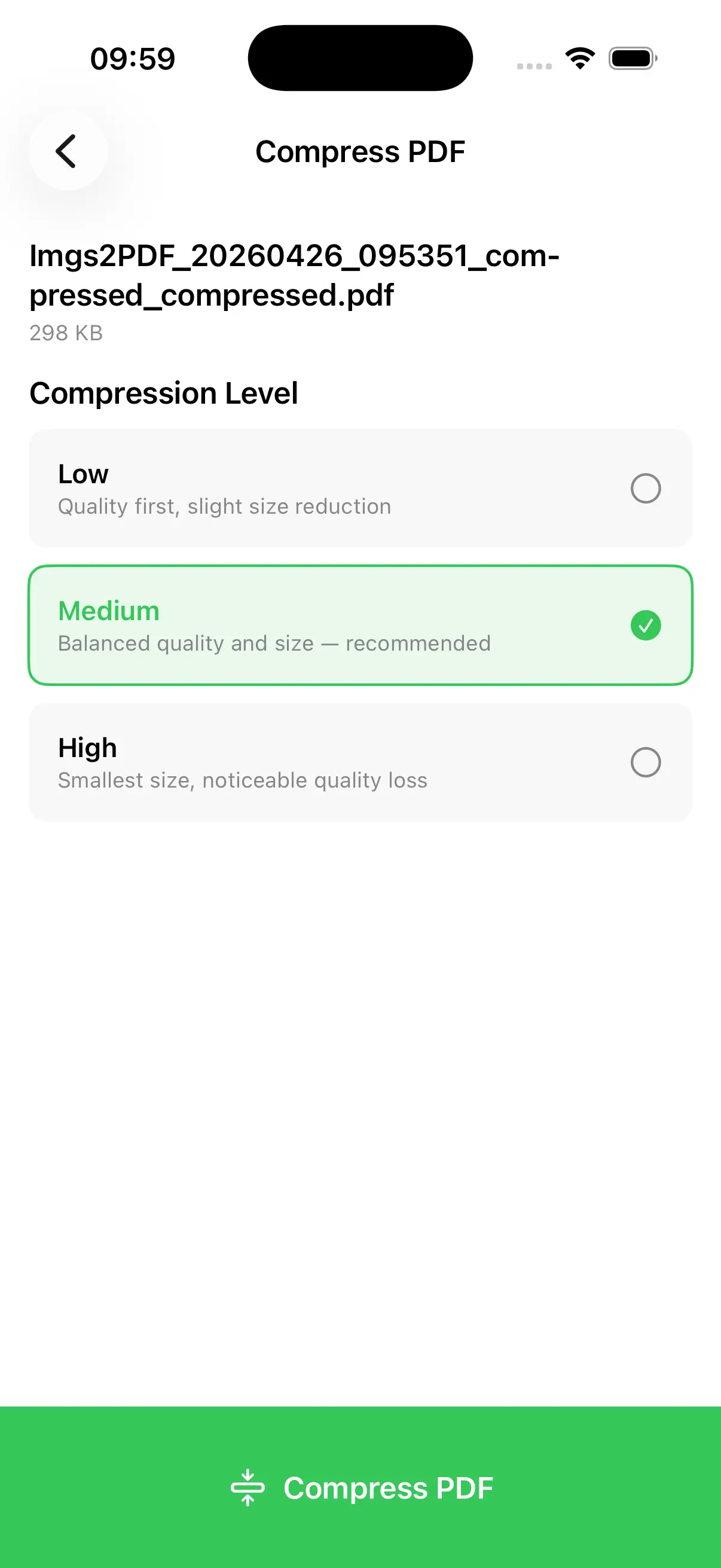
Multiple Compression Levels
Choose between different compression presets (e.g., low, medium, high) depending on your balance between quality and file size.
Fully Offline Processing
All compression is done locally on your device, ensuring privacy and zero file uploads.
Fast Processing
Optimized for performance, enabling quick compression even for large PDF files.
Access PDF Compression
You can compress PDFs in three convenient ways:
- From Home Screen Tap “Compress PDF” to quickly select and compress a file.
- From File List (Single File) Swipe left on a PDF file and tap “Compress” for quick access.
- From File List (Batch Compression) Select multiple PDF files, then tap “Compress” in the bottom toolbar to process them all at once.
Use Cases
- Reduce PDF size for email attachments
- Optimize files for web upload or sharing
- Save storage space on mobile or desktop
- Prepare PDFs for publishing or distribution