 Imgs2PDF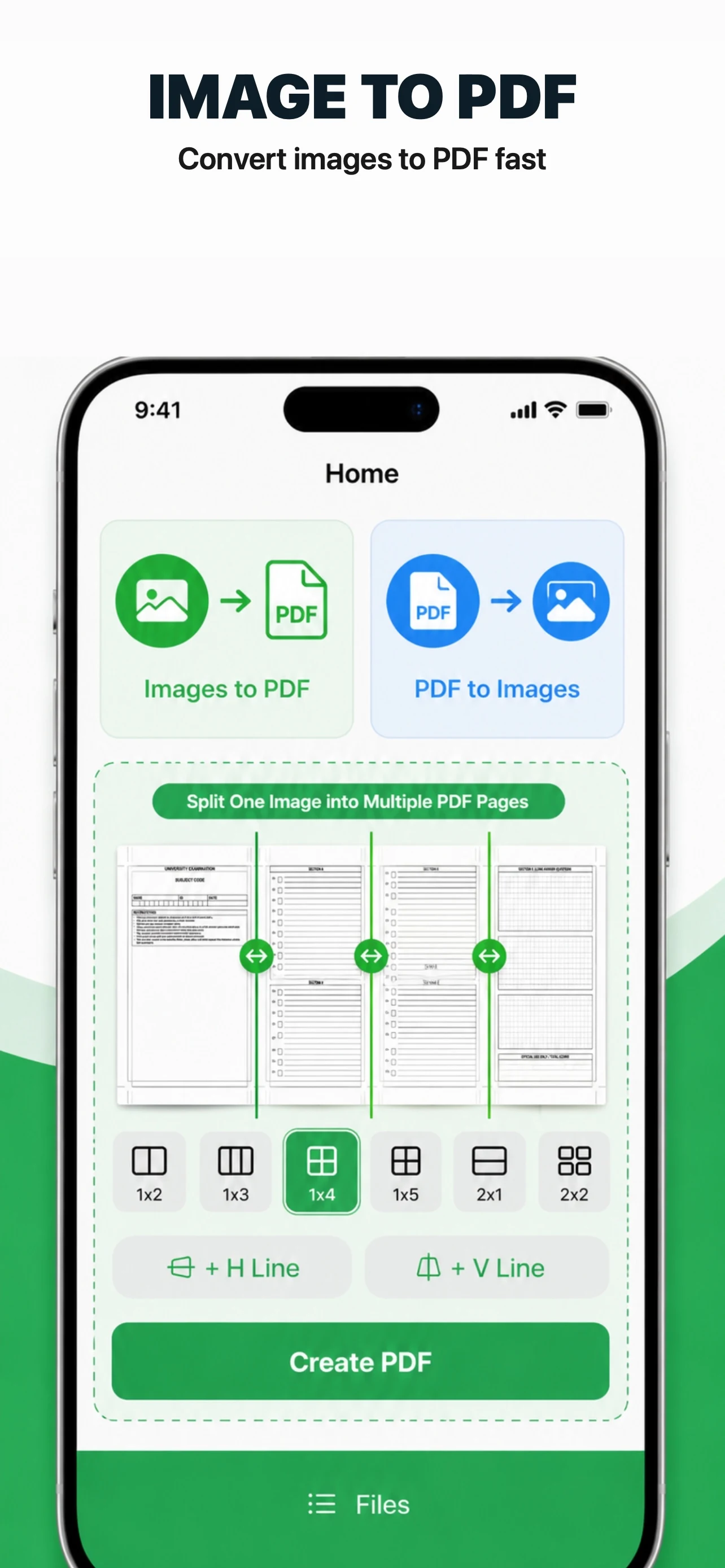
2.0.4
Version 2.0.4 improves reordering, crop accessibility, setting summaries, larger text and Reduce Motion support.

Core document processing runs on the device; files are not uploaded to a web converter.
Select photos, scans, receipts, or screenshots, drag to reorder them, preview, rotate, or split images, then choose paper size, orientation, and quality before creating one PDF. Select scans, receipts, or report sections, drag them into the intended order, and merge them without a web upload. Enter each PDF password when prompted.

Crop, rotate in 90-degree steps, or use grid presets from 1×2 through 4×5. Premium adds movable custom split lines.
Version 2.0.4 improves reordering, crop accessibility, setting summaries, larger text and Reduce Motion support.
Free: 5 images per PDF, 3 PDFs per merge, pages 1–10 for splitting, plus single-file compression, OCR, preset image grids, and core export tools.
Premium removes count limits and adds custom split lines, custom watermarks, multi-item export, and batch PDF compression.
From photos and scans to PDF, then from PDF to JPEG: convert, organize, edit, and export in one clear local workflow.
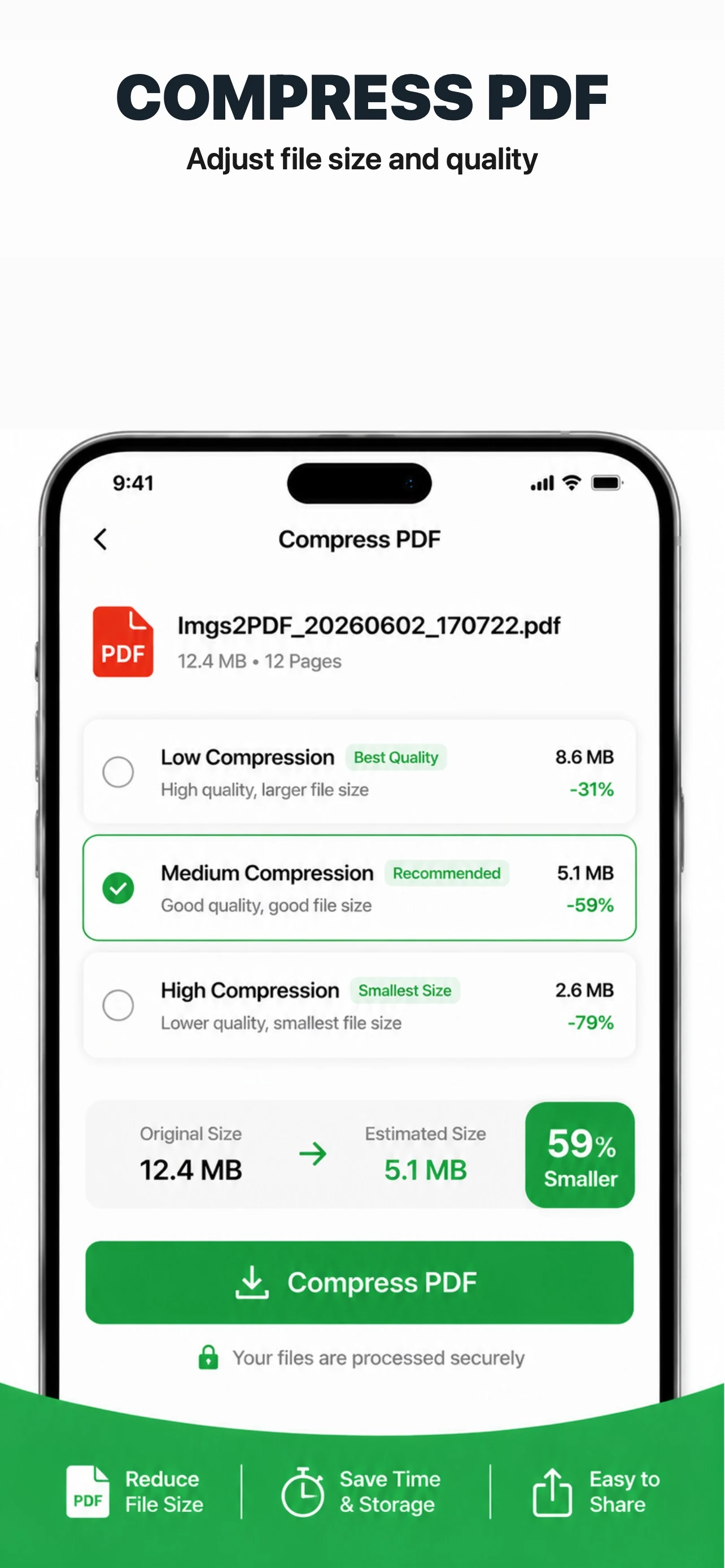
Choose low, medium, or high compression. Text-bearing pages remain PDF content; image pages may be re-encoded. If the result would be larger, the original is copied.
Choose A3, A4, A5, A6, B4, B5, Letter, Legal, or Tabloid when creating a PDF, then set portrait or landscape orientation. Adjust image quality to balance clarity and file size.
Crop, rotate in 90-degree steps, or use grid presets from 1×2 through 4×5. Premium adds movable custom split lines.
Recognize and copy text from image previews or PDF pages converted to images. Choose automatic or a language in Settings; OCR does not create an editable PDF.
Premium adds custom text watermarks with position, angle, and size controls. Free exports do not receive an automatic Imgs2PDF watermark.
Reopen, rename, export, compress, or delete locally generated results. Premium adds multi-item export and batch PDF compression.
Version 2.0.4 supports iOS/iPadOS 17.0+, macOS 14.0+, and visionOS 2.0+.
Monthly, yearly, and Lifetime options are shown in the app. The App Store determines availability, trials, Family Sharing, and local prices.
Select photos, scans, receipts, or screenshots, drag to reorder them, preview, rotate, or split images, then choose paper size, orientation, and quality before creating one PDF.
Imgs2PDF renders every page as a numbered JPG. Enter the correct password for protected PDFs, then save one page or export all pages together.
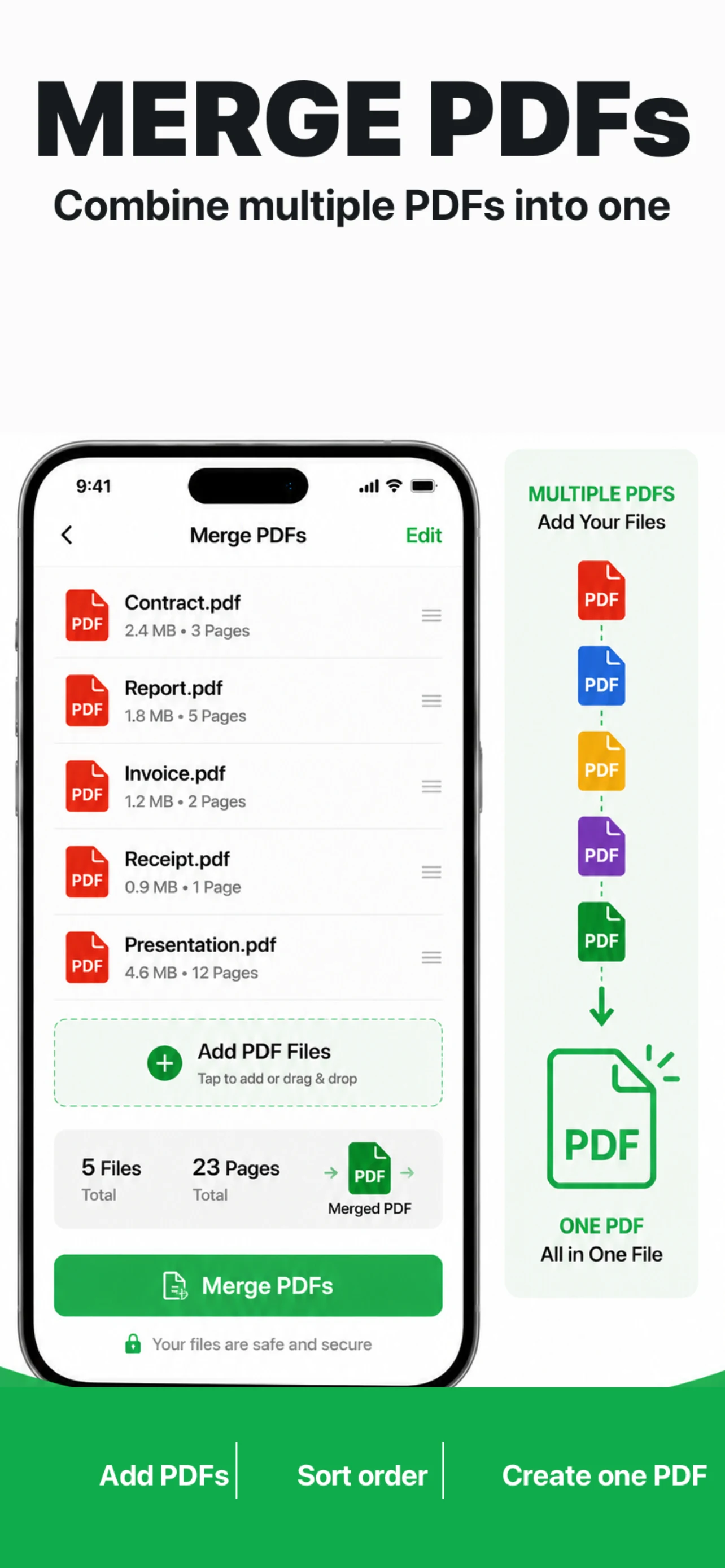
Select scans, receipts, or report sections, drag them into the intended order, and merge them without a web upload. Enter each PDF password when prompted.
Review a long PDF, select the pages you need, and create a new document without uploading the source. Password-protected PDFs continue after the correct password is entered.