2MP3 Audio Trimmer and Converter App
2MP3 is a mobile app for turning video files into audio, trimming clips with a visual waveform editor, converting between common audio formats, and managing exported audio files on your device.
It is built for practical video-to-audio workflows on iPhone, iPad, and Android. Processing runs on-device, so your files are not uploaded for conversion.
What 2MP3 Does
2MP3 focuses on a few common audio tasks:
- Extract audio from video files.
- Convert video to MP3, AAC, M4A, FLAC, or WAV.
- Convert between supported audio formats.
- Remove leading and trailing silence.
- Trim audio with a visual waveform editor.
- Normalize volume to a consistent level with Pro.
- Export, share, search, and manage converted files.
- Play exported audio inside the app.
The app is not an online upload tool or a cloud converter. It is designed for local conversion on the device you are using.
Video to Audio Conversion
The main 2MP3 workflow is simple: choose a video, select an audio output format, and convert it into an audio file.
Supported video input listed on the App Store includes:
- MP4
- MOV
- AVI
- MKV
- M4V
Supported audio output includes:
- MP3
- AAC
- M4A
- FLAC
- WAV
This makes 2MP3 useful when you have a recorded video but only need the sound, such as a voice recording captured as video, a screen recording with useful narration, a lecture clip, or a personal video where the audio track is the part you want to save.
Audio Trimming
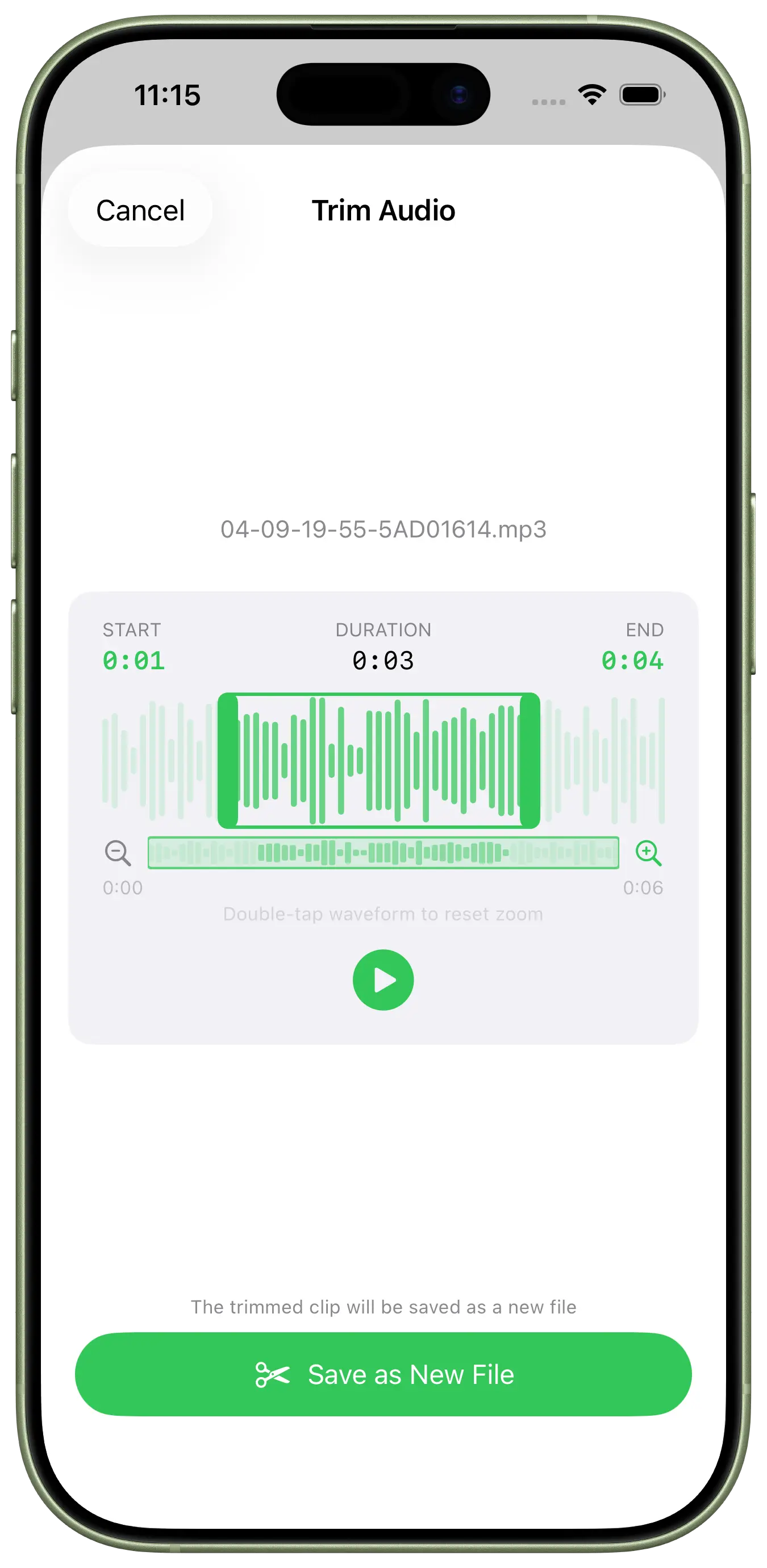
After conversion, you may not need the entire audio file. 2MP3 includes a waveform editor for trimming audio inside the app.
You can use the waveform and zoom controls to find the part you want to keep, then adjust the trim handles before exporting. This is useful for removing empty sections, shortening a recording, or keeping only the segment you need from a longer video.
Common trimming scenarios include:
- Cutting silence before or after speech.
- Keeping a short quote from a longer recording.
- Turning a long screen recording into a compact audio note.
- Preparing a cleaner clip before sharing it.
2MP3 also supports removing leading and trailing silence, which helps with files that start or end with dead air.
Audio Format Conversion
2MP3 can also convert between supported audio formats. That is useful when an app, device, or workflow expects a specific format.
For example:
- Use MP3 for broad compatibility.
- Use M4A or AAC for common mobile workflows.
- Use WAV or FLAC when you prefer an uncompressed or lossless-friendly format.
The best format depends on where the file will be used. 2MP3 provides the output choices; you still control which one fits the destination.
Volume Normalization
2MP3 includes volume normalization as a Pro feature. This can help make audio levels more consistent when clips come from different videos, recordings, or sources.
It is useful for:
- Voice clips recorded at different volumes.
- Extracted audio from multiple videos.
- Personal listening files where one clip is much quieter or louder than another.
- Preparing audio before sharing it with someone else.
Normalization is not the same as manual audio mixing, but it can make everyday exported files easier to listen to.
File Management and Playback
After conversion, 2MP3 lets you export and share audio files, search converted files, and delete multiple items in batches. The app also includes a built-in player, so you can check exported files without switching to another app.
This is helpful when you are processing several clips and want to confirm the result before sharing or saving it elsewhere.
Who 2MP3 Is For
2MP3 is useful for people who regularly receive or create videos but only need the audio:
- Content creators extracting voice tracks from recorded videos.
- Students saving audio from lecture or class recordings.
- Podcasters and interviewers working from video recordings.
- Musicians or audio hobbyists converting personal clips into common formats.
- Anyone who wants a local mobile tool for trimming and exporting audio without uploading files.
The app is intentionally focused: convert video to audio, trim the result, normalize volume when needed, and manage the files afterward.
Get 2MP3
2MP3 is available on the App Store and Google Play.
Content responsibility
The HP60 product team is responsible for this article. The publication date above identifies this content version; product behavior may change after release, so consult the linked product and support pages for current limits.