
Free
- Convert up to 10 files per batch
- Supported EXIF/XMP metadata and ICC profile handling
 Image2JXL
JPEG XL converter for Mac, iPhone and iPad
Native local conversion on macOS 15.6+, iOS 26+ and iPadOS 26+. Convert images to JPEG XL or export JXL to JPEG, PNG and GIF without uploading your files.
macOS 15.6+ · iOS 26+ · iPadOS 26+
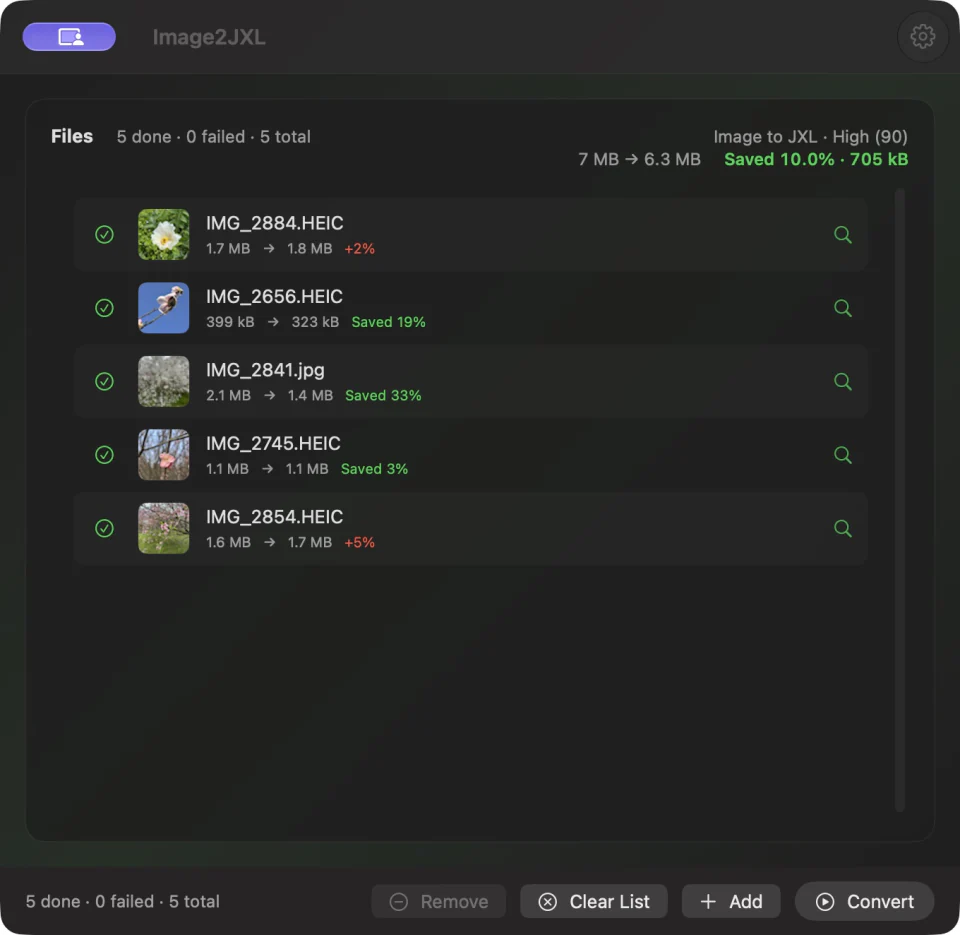
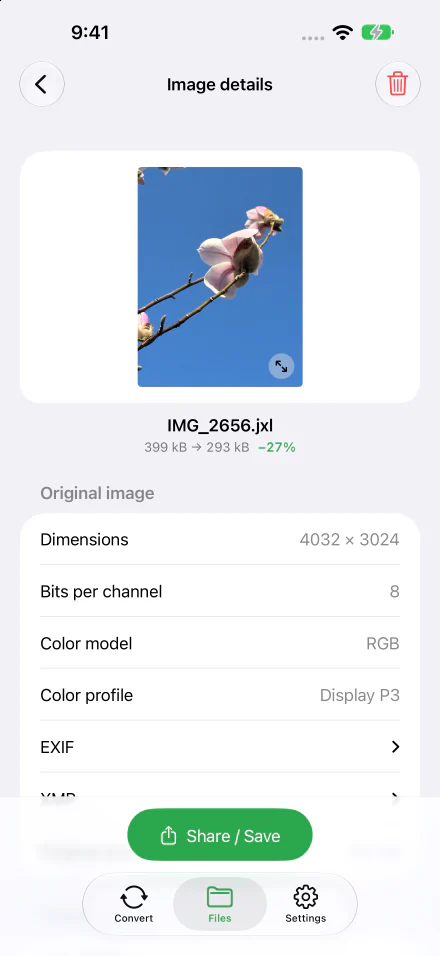
Built for photographers, designers, developers, archivists, and anyone handling private image batches.
Local ConversionBuilt as a native SwiftUI app. Files are not uploaded for conversion.
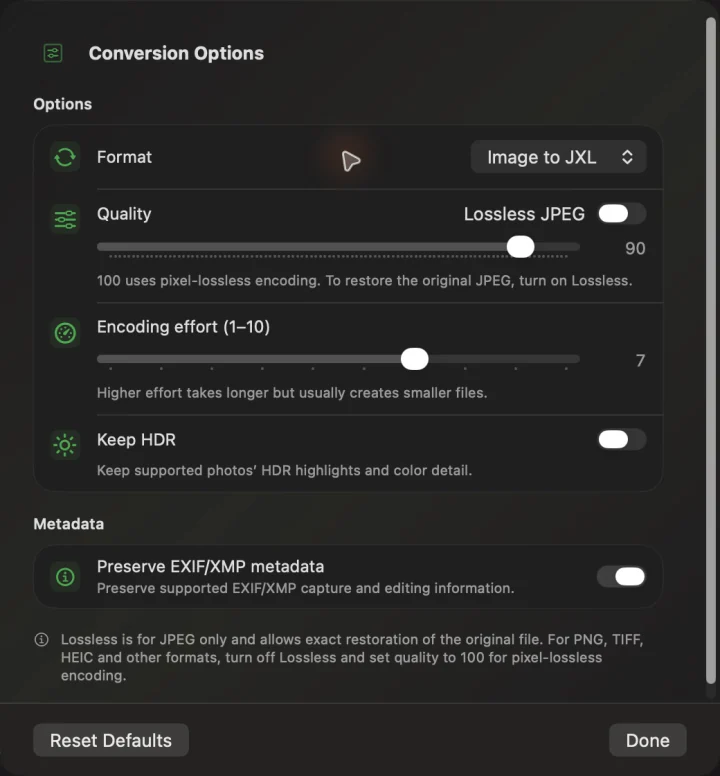
Turn on Lossless only for JPEG input: it preserves the data needed to restore the original JPEG. For other supported formats, turn Lossless off and choose quality 100 for pixel-lossless encoding; this does not restore the original file container. JPEG encoded at quality 100 is not a reversible JPEG repack. Default quality is 90.
Import files or folders, follow import progress and review each conversion result. Pause the queue after the current conversion finishes, resume when ready, and retry failed files.
Convert supported image formats to JPEG XL, or convert JPEG XL files back to JPEG, PNG, or GIF.
Preserve supported EXIF / ICC and XMP metadata where the selected conversion path supports it.
Enable Keep HDR to retain highlights and tonal detail in supported JPEG, HEIC and AVIF gain-map photos. It is off by default; unavailable HDR data falls back to SDR. Lossless JPEG transcoding preserves the original JPEG and gain map for reconstruction rather than applying HDR to the JXL pixels.
PNG preserves transparency and animation with output up to 16 bits. Floating-point samples are converted to 16 bits and out-of-range values are clipped. Normal JPEG export uses a white background for transparency and only the first animation frame; GIF uses an 8-bit palette.
On iPhone and iPad, import from Photos, Files or folders. Manage results in the file library, preview images and inspect EXIF/XMP metadata, then share or save to Photos or Files. Clear cache removes temporary working data; Delete all app files also removes local records and app-managed results, not external originals or exported copies.
Convert JPEG to JPEG XL with reversible lossless JPEG recompression on Mac. Image2JXL processes files and folders locally without uploads.
Convert JPEG XL files to JPG on your Mac for sharing and use in apps that accept JPEG. Process individual files or folders locally without uploading your images.
Convert JPEG XL files to PNG locally on your Mac. Export individual images or folders for editing and workflows that accept PNG, without uploading your files.
Convert folders of supported images to JPEG XL, or export JXL batches to JPG or PNG. Import files, review each result, and save outputs locally on your Mac.