How Security Camera Motion Detection Works
Security camera motion detection turns a change in a scene into a useful event. Depending on the system, that event can start recording, send a notification, switch on a light, or trigger an alarm.
The difficult part is not detecting any change—it is deciding which changes matter. This guide explains the main detection methods, why false alerts happen, and how to configure a camera so its recordings and notifications remain useful.
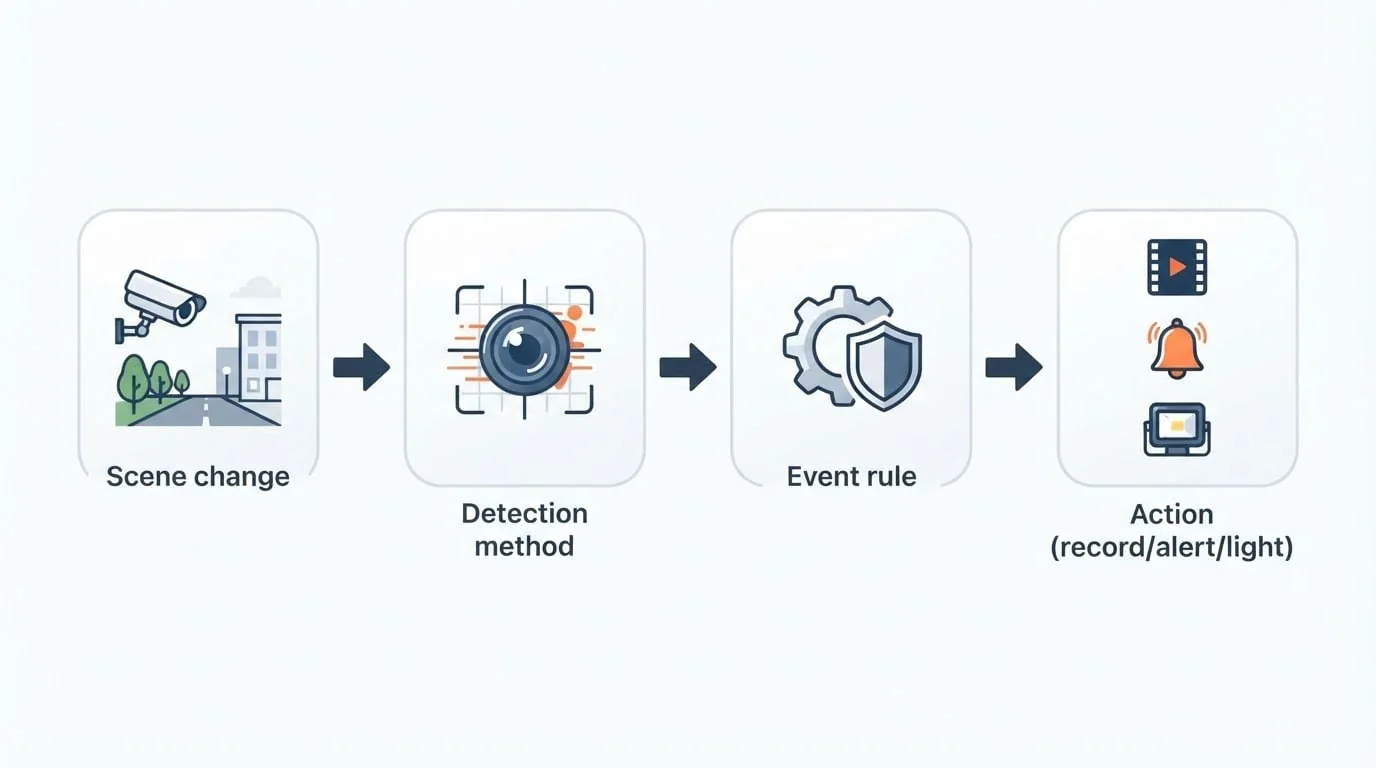
Motion Detection Is a Pipeline
A practical motion system has three stages:
- Detection: a sensor or video algorithm notices a change.
- Decision: rules decide whether the change counts as an event. Zones, schedules, object type, duration, and sensitivity may all be involved.
- Action: the system records, alerts, activates a light or siren, or marks a point on the timeline.
This distinction matters because recording and notification rules do not have to be identical. A driveway camera can record all movement while notifying you only when it identifies a person after dark.
Three Common Detection Methods
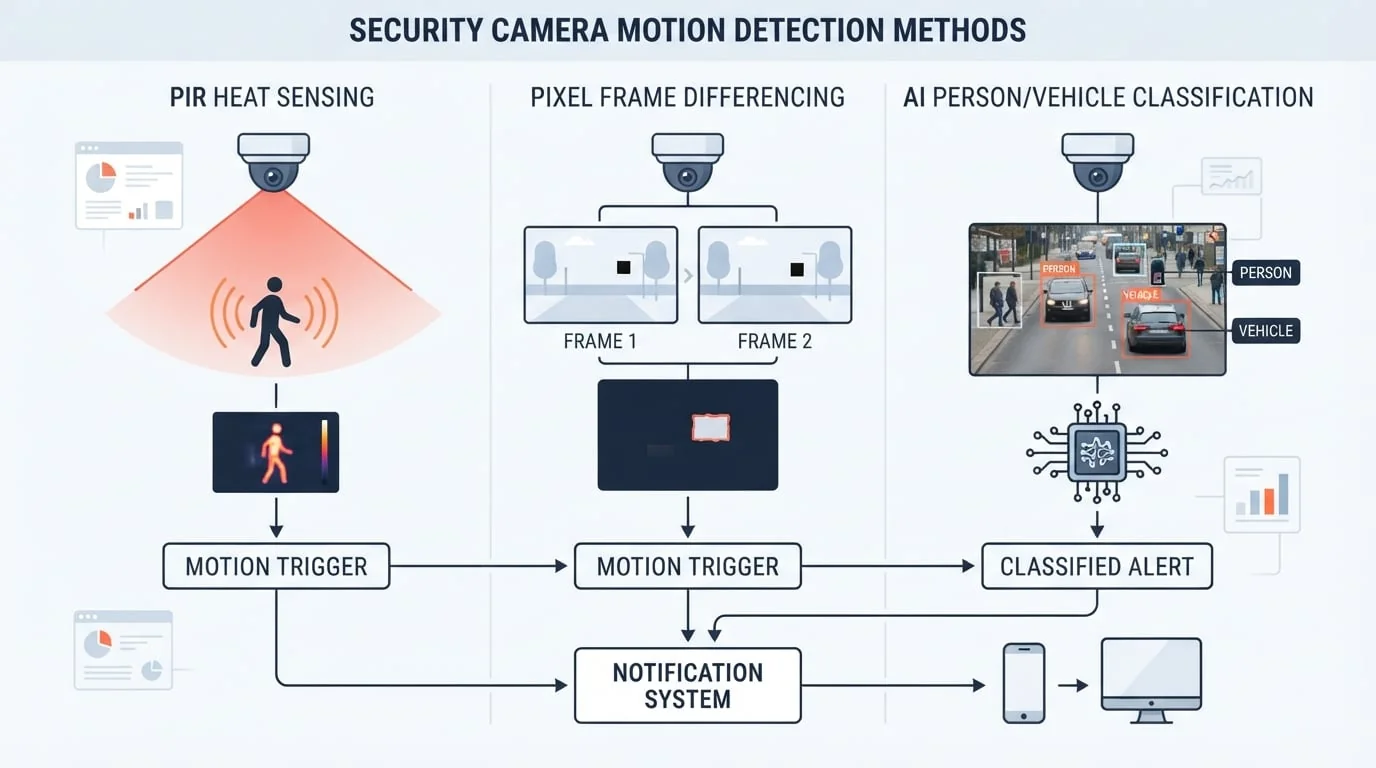
Pixel-Based Video Motion Detection
Pixel or frame-difference detection compares successive video frames. When enough pixels change within a watched region, the camera creates a motion event.
It works well for general activity recording and makes it possible to draw zones around a door, gate, driveway, or shelf. Its weakness is that the algorithm sees visual change rather than intent. Shadows, headlights, rain, branches, insects near the lens, and automatic exposure changes can all look like motion.
PIR Heat Sensing
A passive infrared sensor reacts to changes in infrared energy, often when a warm person or animal moves across its field. Battery cameras commonly use PIR because it consumes little power and can wake the camera before video processing begins.
PIR does not identify what moved. Its reliability depends on ambient temperature, placement, distance, and the direction of travel. A subject crossing the sensor's view is often easier to detect than one moving directly toward it.
AI Person and Vehicle Detection
AI detection analyzes the video and classifies objects such as people, vehicles, pets, or packages. It can suppress many notifications caused by leaves, shadows, and distant traffic, making phone alerts more trustworthy.
Classification still depends on the source image. Poor lighting, glare, bad weather, long distance, and partial obstruction can cause missed or incorrect labels. Smart analysis may also add a small delay before an alert arrives.
These methods can work together. A battery camera might use PIR to wake, frame differences to confirm scene activity, and AI classification to decide whether to notify you.
What Happens After a Trigger?
| Response | Benefit | Trade-off |
|---|---|---|
| Motion recording | Saves storage by recording around events | Can miss activity when the trigger fails |
| Pre/post buffer | Adds context before and after movement | Uses slightly more storage and processing |
| Phone alert | Provides timely awareness | Becomes noise when false triggers are frequent |
| Light or siren | Can deter an intruder | Needs a high-confidence rule |
| Continuous recording with motion markers | Preserves evidence while making review faster | Requires the most storage |
Schedules are part of the decision. Movement near a shop entrance may be routine during business hours and important after closing. Configure actions around the real use of the scene, not one global sensitivity setting for every camera.
Why False Alerts Happen
False alarms usually come from the scene, the installation, or overly broad rules:
- Trees, flags, water, shadows, rain, or snow
- Headlights, reflections, and sudden brightness changes
- Insects or water drops close to infrared LEDs
- Camera vibration from wind or a loose mount
- Roads, sidewalks, and neighboring property inside the zone
- Indoor screens, fans, pets, or sunlight moving across a floor
Night mode changes the scene. Infrared illumination can make nearby insects extremely bright, create reflections from glass or walls, and reduce useful detail at a distance. Daytime settings should always be tested again after dark.
How to Reduce Unwanted Motion Alerts
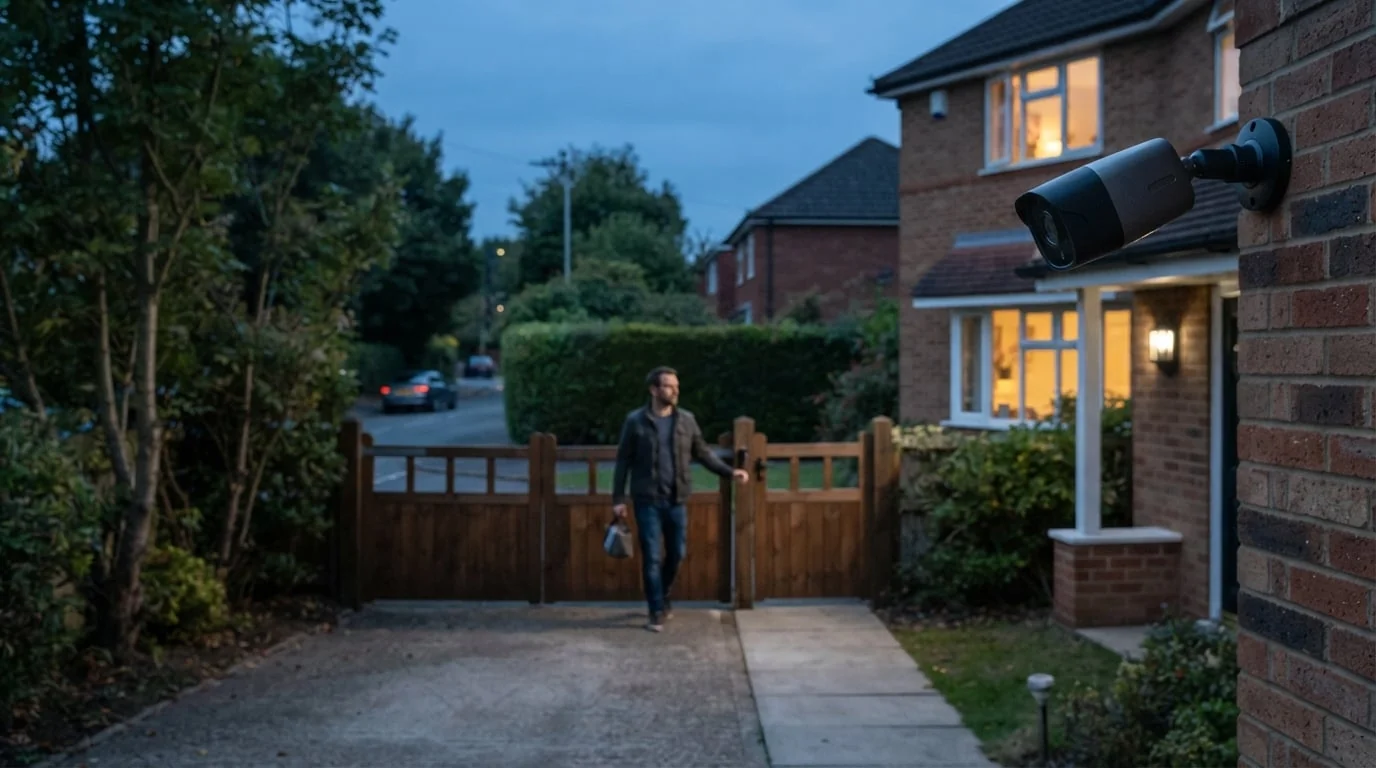
Tune the system in this order:
- Improve the camera position. Stabilize the mount, avoid reflective glass and direct headlights, and keep moving branches out of the near field.
- Create a tight detection zone. Include the door, path, gate, or driveway that matters. Exclude roads, trees, sky, and neighboring areas.
- Begin with moderate sensitivity. Raise it only until a person at the farthest important point is detected consistently.
- Use person or vehicle filters for notifications. Broader motion can still create recordings without sending every event to your phone.
- Set minimum object size or duration when available. Tiny or momentary changes are less likely to become alerts.
- Walk-test day and night. Approach from realistic directions and test the edge of every important zone.
Motion tuning balances two kinds of failure: missing a real event and receiving too many useless alerts. The correct balance can differ for a front door, driveway, stock room, and nursery.
Outdoor and Indoor Cameras Need Different Rules
Outdoor cameras face changing weather, wildlife, vehicles, vegetation, and difficult lighting. Person or vehicle classification is especially valuable for notifications, while generic motion can remain useful for recording. Sirens and spotlights should normally require a higher-confidence trigger.
Indoor scenes are more stable but introduce pets, televisions, fans, windows, and scheduled activity. An office camera may need strict alerts after hours and no notifications during the workday. A room facing a glass door may require a zone that excludes movement outside.
Power also affects design. Battery cameras often rely on PIR wake-up and shorter event clips. Continuously powered or PoE cameras can run richer video analysis and maintain longer recording buffers.
A Setup Checklist
Before buying or configuring a system, ask:
- Does it use PIR, pixel motion, AI classification, or a combination?
- Can each camera have its own include and exclude zones?
- Can recording and notifications use different rules?
- Are person and vehicle filters available?
- Does it support schedules, object-size filters, and trigger delays?
- How does detection perform with infrared or color night vision?
- Is footage stored locally, in the cloud, or both?
- Can recorded events be reviewed as a list or timeline?
During installation, map the paths that matter, aim the camera so people cross the frame when possible, start with a narrow zone, and test the far edge in daylight and darkness. Revisit settings when seasons, lighting, or landscaping change.
Reviewing Saved Security Camera Footage
Live camera detection and later footage review are separate tasks. Even a well-configured system can leave hours of recordings or many clips to inspect after an incident.
If you have already exported an MP4, M4V, or MOV file, MoFind can scan the saved video on iPhone, iPad, or Mac and produce a list of motion events with timestamps, scores, and thumbnails. The analysis runs on the device, so the selected footage is not uploaded for motion detection.
MoFind is a review aid for files you already have. It does not connect to a camera, replace the camera's live alerts, or operate as a real-time security system. See the focused guide to finding motion in saved security-camera footage.
Frequently Asked Questions
Is a motion sensor the same as video motion detection?
Not necessarily. “Motion sensor” may refer to PIR hardware, while video motion detection usually means comparing image frames. Some cameras combine both and add AI classification.
Should a camera record continuously or only on motion?
Continuous recording gives the strongest evidence trail but requires more storage. Motion-only recording reduces storage and power use but can miss activity. Many powered systems record continuously and add motion markers for faster review.
Why are there more false alerts at night?
Night images contain less detail and stronger infrared reflections. Insects near the lens, reflective surfaces, headlights, and image noise can all produce apparent motion. Test night settings separately.
Does maximum sensitivity provide the best security?
No. Maximum sensitivity often creates so many unwanted alerts that users begin ignoring or disabling them. A stable camera, focused zones, and appropriate object filters are usually more effective.
Bottom Line
Security camera motion detection works best when the detection method, camera position, zones, schedule, and response rules match the scene. Pixel detection notices general change, PIR provides a low-power heat trigger, and AI classification helps decide which events deserve attention.
Configure recording and alerts separately, test both day and night, and use a local review tool such as MoFind on the App Store when you need to inspect saved footage without scrubbing through every quiet minute.
Responsabilidade pelo conteúdo
A equipe de produto da HP60 é responsável por este artigo. A data acima identifica esta versão do conteúdo; o produto pode mudar depois da publicação. Consulte as páginas vinculadas de produto e suporte para ver os limites atuais.