Getting started
Choose an image, review the masks, then save or share a copy at its original resolution.
- 01
Choose an image
Use Photos, Files or the share sheet in a compatible app. The system photo picker only provides images you select.
- 02
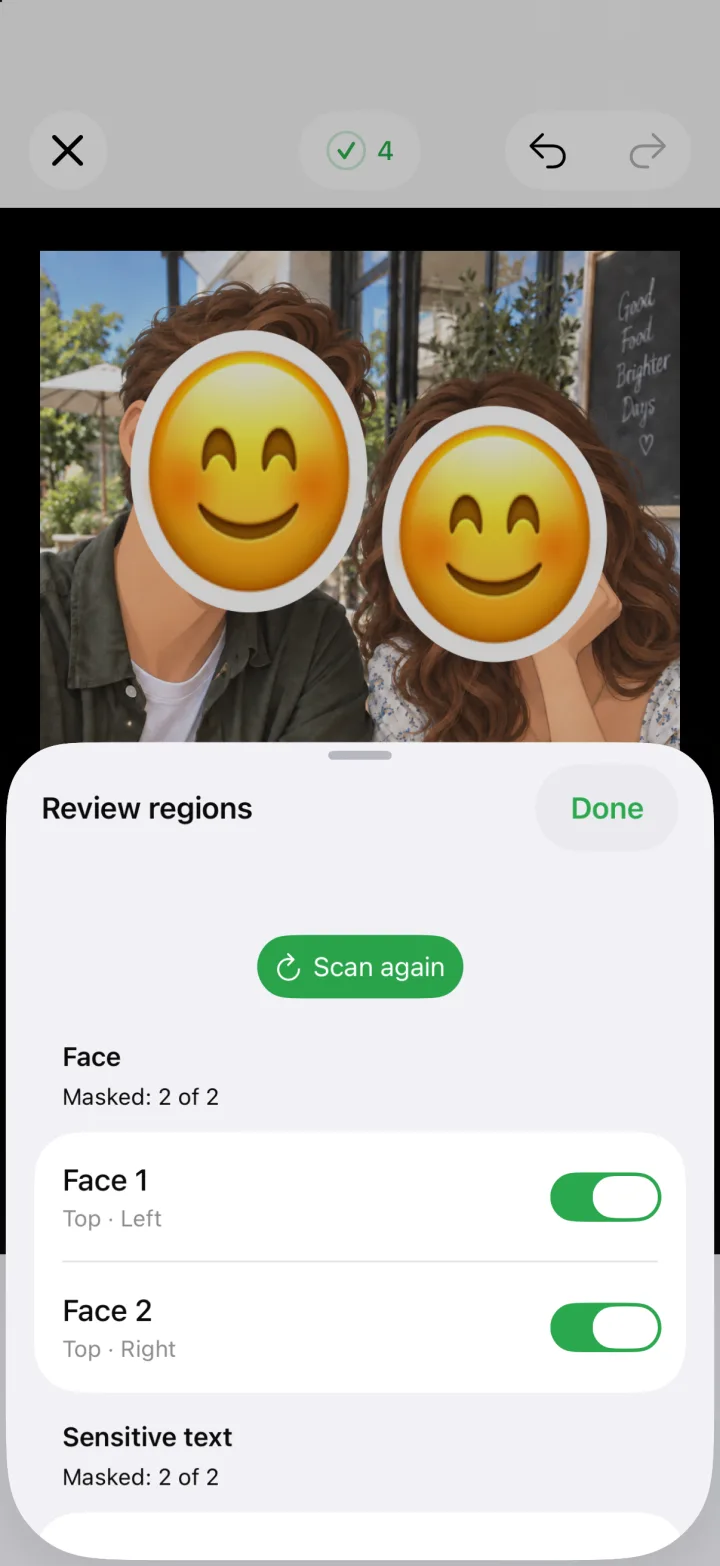
Review the results
Check detected faces, plates and sensitive text. Detection can miss things: zoom in and check each area.
- 03
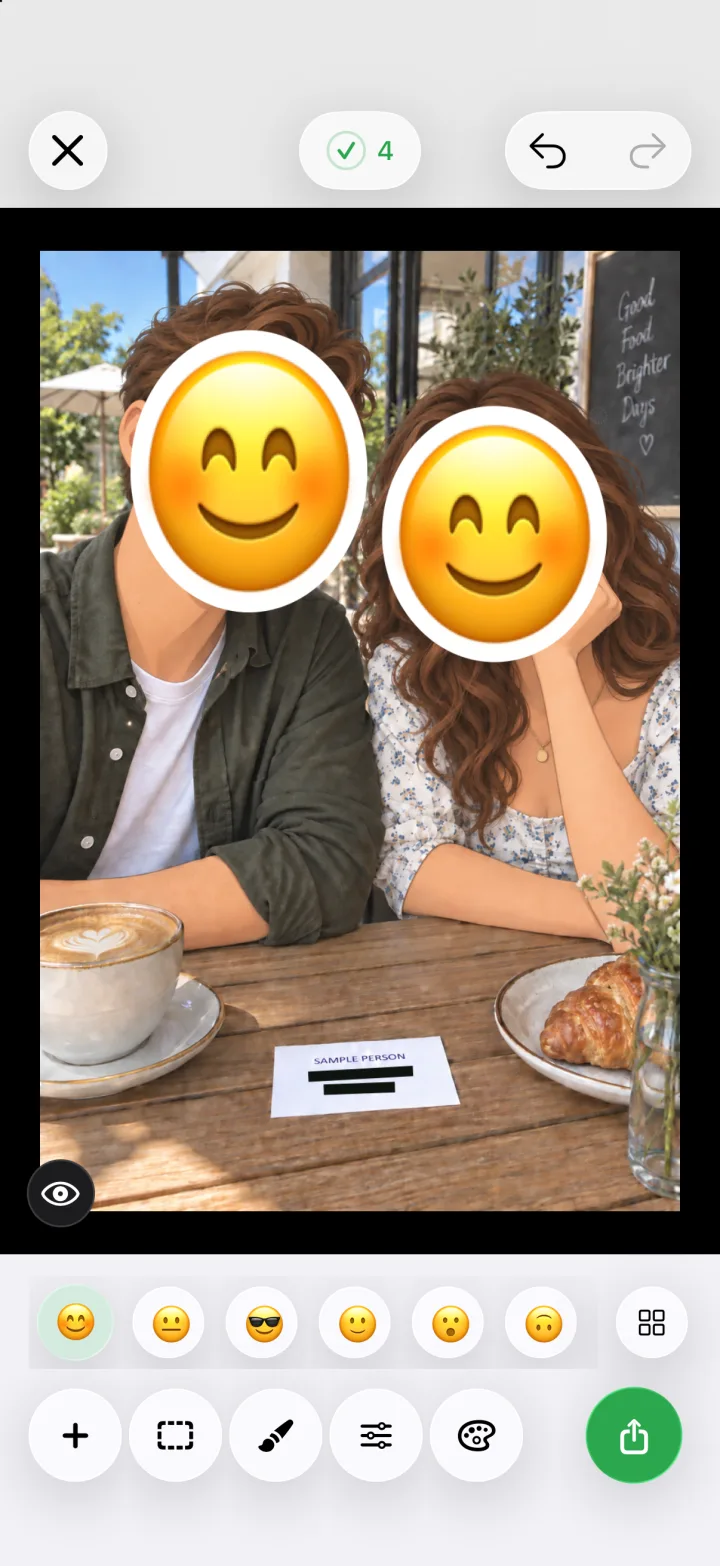
Adjust the masks
Choose a style, move or resize areas, and add rectangle or brush masks. Use an opaque solid color for important information, then check the result.
- 04
Save or share
Export PNG or JPEG at the original pixel dimensions. Saving to Photos requires Add Photos permission. Check the watermark and metadata settings before sharing.